Pending List
Overview
The Pending List page displays all approved audit assessments that are ready to be executed but have not yet been started. Once the admin clicks Execute on any audit here, it moves into the execution phase and transitions to the WIP List.
Navigate to: Audit > Audit Execution > Pending List
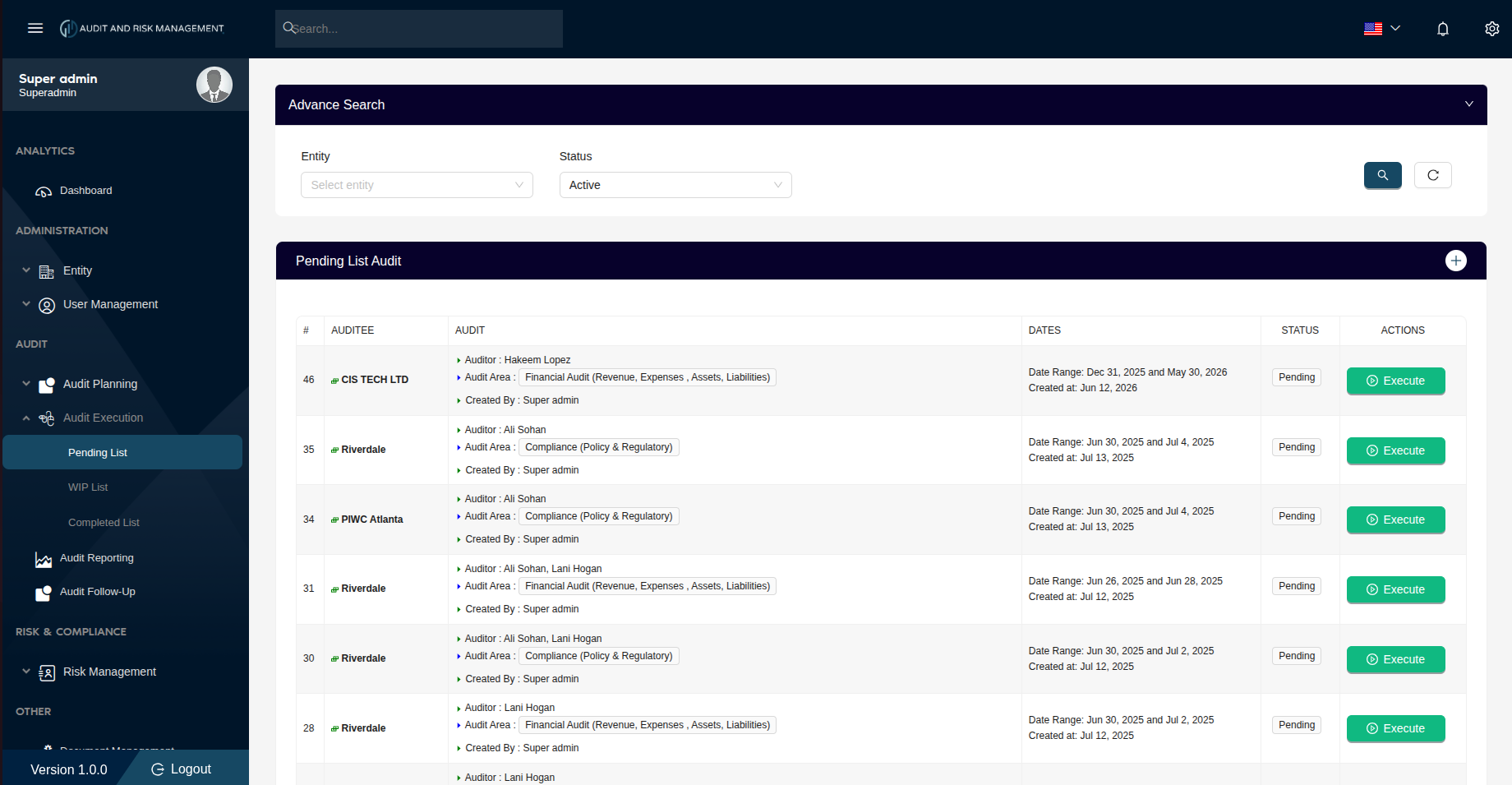
Advanced Search
| Filter Field | Type | Description |
|---|---|---|
| Entity | Dropdown | Filter by the company/entity being audited |
| Status | Dropdown | Filter by status. Default is Active |
!!! tip "Search & Reset" - Click the 🔍 Search button (teal) to apply the filters - Click the ↺ Reset button to clear all filters and reload the full list
Pending List Audit Table
| Column | Description |
|---|---|
| # | Notification ID (sorted in descending order — newest first) |
| Auditee | The company/entity to be audited, with a colored indicator icon |
| Audit | Assigned auditor(s), audit area(s), and the user who created the notification |
| Dates | The audit date range and the date the notification was created |
| Status | Always Pending on this list — the audit has not been started yet |
| Actions | Execute button — starts the audit execution for that assessment |
Actions
▶ Execute
Click the Execute button on any row to open the Audit Execution page for that assessment. This begins the execution phase — the auditor can now answer all questionnaire items.
!!! info "What happens after clicking Execute?" - The Audit Execution page opens with the full questionnaire - As soon as at least one question is answered, the assessment automatically moves from the Pending List to the WIP List - The assessment stays in the WIP List until all questions are answered and it is completed
Step-by-Step: How to Execute an Audit from the Pending List
- Go to Audit → Audit Execution → Pending List
- Locate the assessment by Auditee or # ID
- Click Execute to open the audit questionnaire
- Answer at least one question to move the assessment to the WIP List
!!! success "Expected Result" After answering at least one question, the assessment disappears from the Pending List and appears in the WIP List with Ongoing status.